
La version 3 est sortie ! Vous pouvez voir la présentation ici
Nous y sommes ! La nouvelle version de Shopializable est disponible !
Vous pouvez télécharger le module sur notre boutique.
Si vous souhaitez tout de suite, passer à la partie installation de l’article, cliquez ici
Les nouveautés très attendues
- Un vrai module pour Prestashop, vous permettant une meilleure configuration.
- La possibilité d’ajouter l’application aux profils comme aux pages Facebook (Fan, Business), sans problèmes de sécurité.
- La possibilité de personnaliser complétement son thème et son CSS. Les fichiers sont désormais disponibles !
- Un nouveau système pour ajouter les produits au panier en passant par le module Prestashop, évitant ainsi le problème de sécurité.
- Un système de cache
Sommaire
- Le fonctionnement
- Le cache
- Les thèmes
- Et Magento ?
- L’application est désormais payante
- Installation du module sur Prestashop
- Installation du module sur Facebook pour les pages
- Résolution des problèmes
Le fonctionnement
Le fonctionnement du module n’a pas vraiment changé. Nous utilisons toujours des fichiers Xml pour transmettre la base de donnée de votre boutique à Facebook. Donc toute la transmission est sécurisé. Il n’y a aucune donnée sensible circulant sur le réseau.
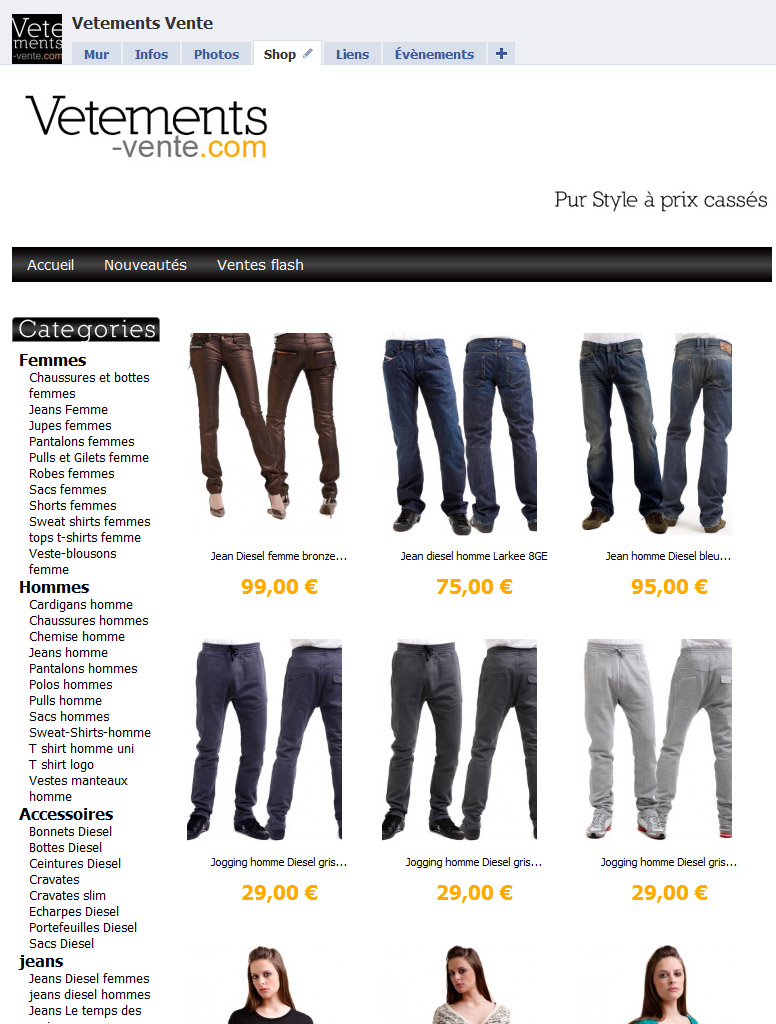
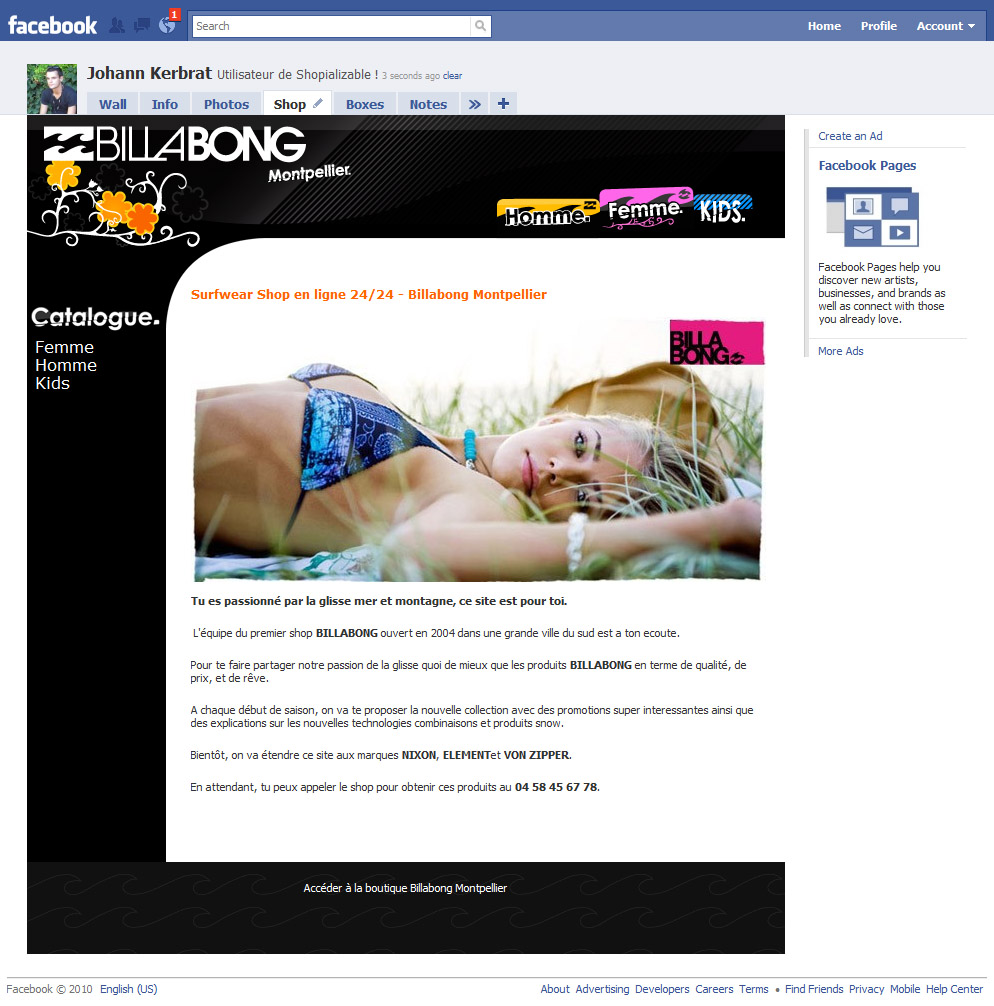
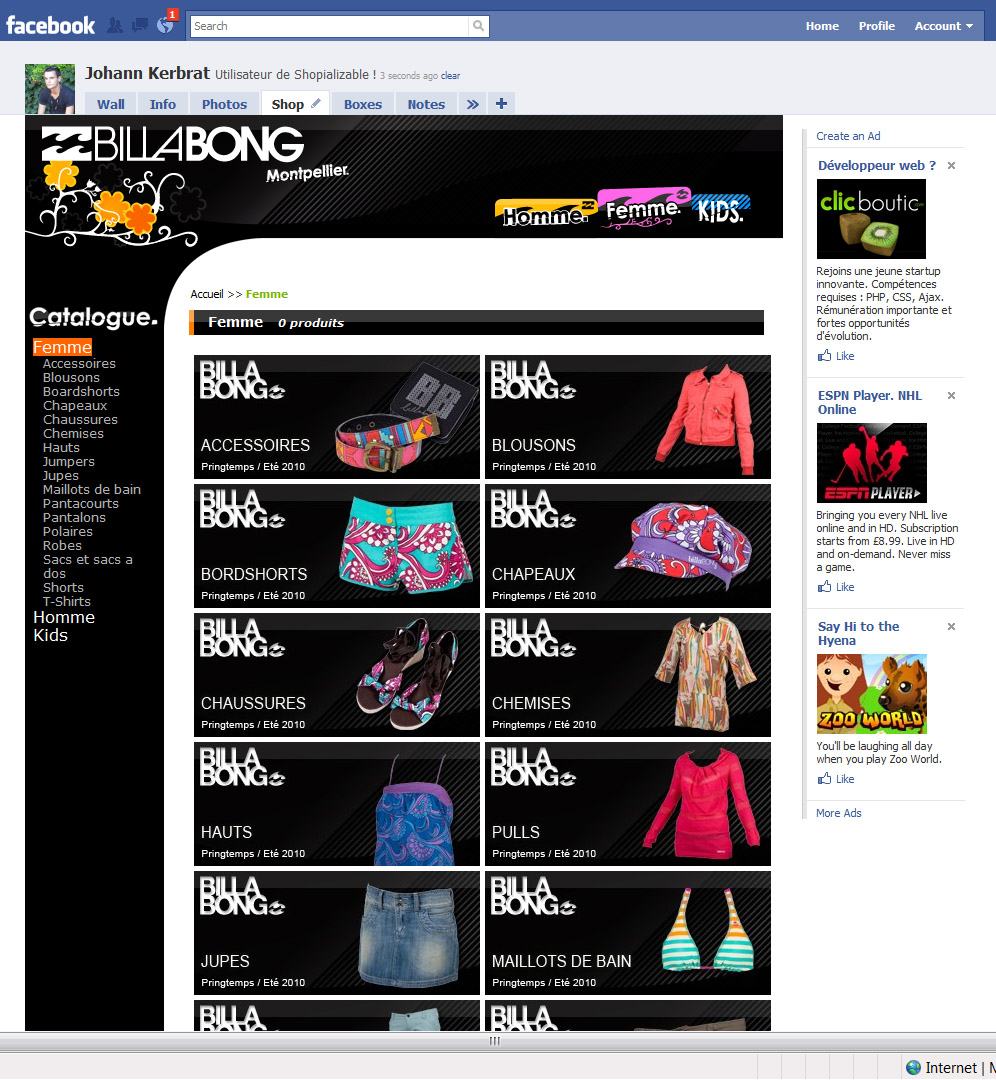
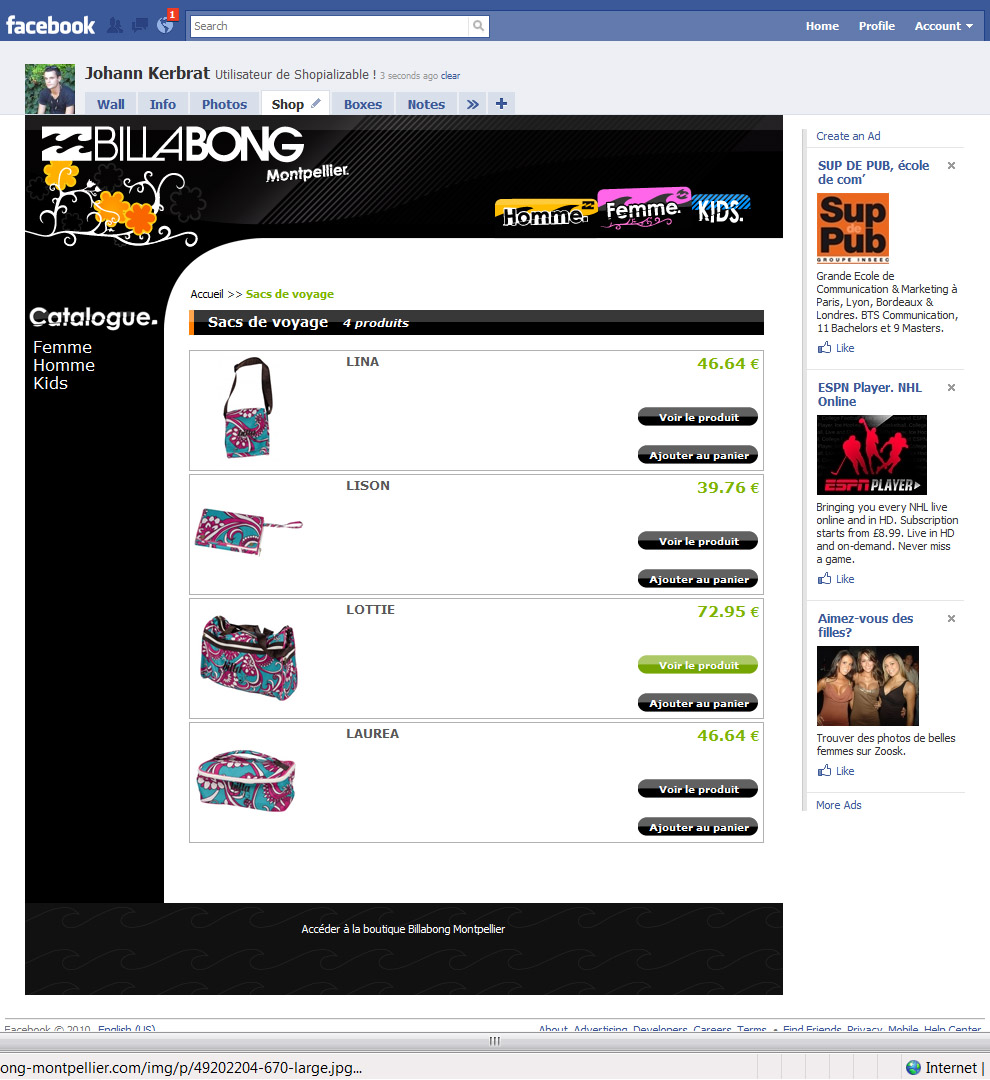
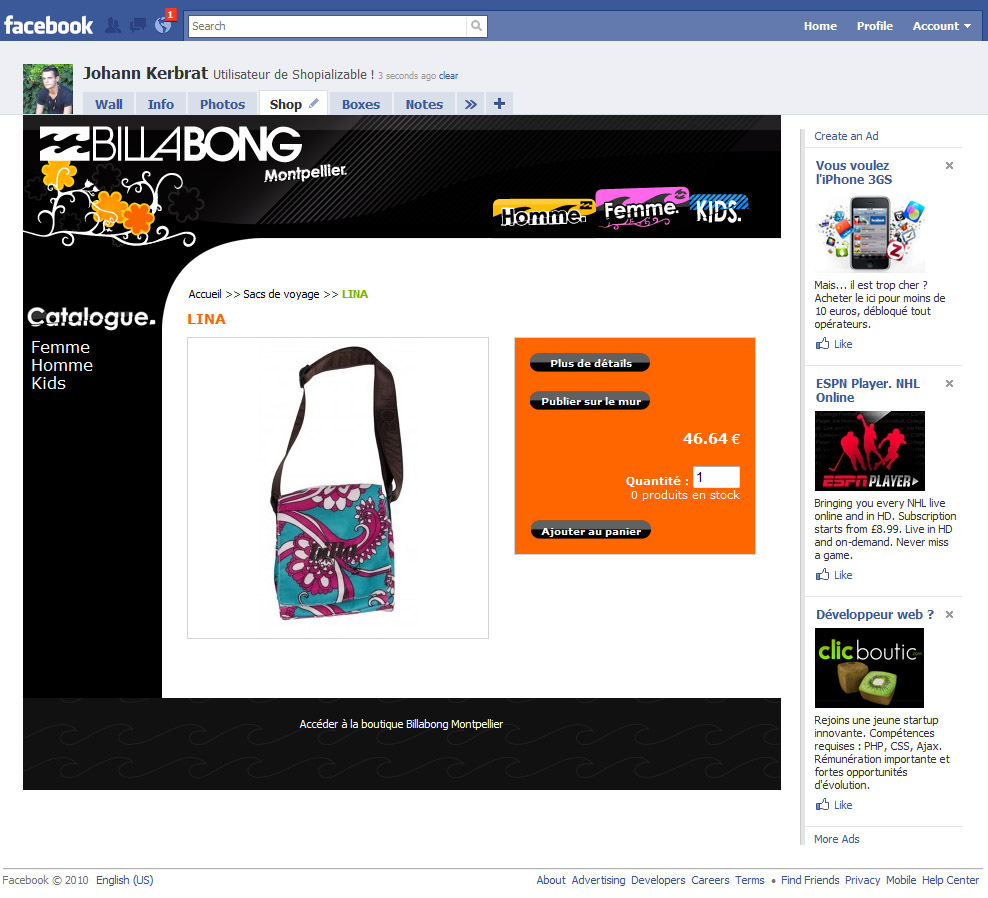
Les photos suivantes sont le rendu d’une boutique Prestashop utilisant notre nouveau module. Nous avons bien entendu créé un thème personnalisé pour eux (disponible ici), ce qui montre toutes les possibilités offertes par notre nouveau système de template !
Le cache
Désormais le module possède un cache, fonction très intéressante pour les comptes Facebook ayant des centaines de visites par jours. Une fois qu’un visiteur s’est rendu sur une partie de l’application, le visiteur suivant ne demandera pas au module de recharger le fichier Xml de la page concernée. Bien sûr le module possède un bouton permettant de vider le cache.
Les thèmes
Ce qui était le plus attendus par nos utilisateurs était, sans aucun doute, la possibilité de pouvoir changer l’apparence de son Shopializable et de pouvoir le personnaliser.
C’est chose faite ! Le module contient maintenant un dossier Template. Vous trouverez un sous-dossier « default-reduced » contenant le thème par défaut. Libre à vous de le modifier, d’en utiliser un autre etc…
Grâce au thème, vous pouvez tout modifier. Les couleurs, le texte, la disposition des éléments…
Et Magento ?
Le module pour Magento, est disponible ici et le manuel ici.
L’application est désormais payante
Pour 30€, vous pouvez utiliser l’application. Nous sommes certains, que nous allons décevoir quelques fans de l’application gratuite. Malheureusement, nous nous sommes rendus compte, que l’application était bien trop difficile à maintenir entre les versions de Prestashop, Magento, les nouveautés de Facebook, les charges sur nos serveurs (l’application étant hébergé sur nos serveurs). Au final la qualité de l’application était largement dégradée, ce que nous pourrons dorénavant éviter.
Bref, nous nous sommes efforcés d’afficher le module au prix le plus bas possible, afin que même le plus petit commerçant puisse l’utiliser.
Vous pouvez aussi commander l’installation du module sur votre boutique par nos soins.
Une nouvelle version du manuel est disponible ici
Installation du module sur Prestashop
Une fois le module téléchargé (si ce n’est pas encore le cas, rendez-vous sur notre boutique), installez le sur Prestashop.
Pour cela, copiez le module dans le dossier « modules » de votre installation de Prestashop.
Rendez-vous ensuite, dans la partie Administrateur, onglet Modules. Cherchez le nom « Shopializable » dans la liste des modules (partie Tools/Outils).

Cliquez sur Installer, puis sur configurer.

Vous devriez alors voir le formulaire de configuration de Shopializable. Il ne vous reste plus qu’à remplir les différents champs. Aucun de ces champs n’est obligatoire.
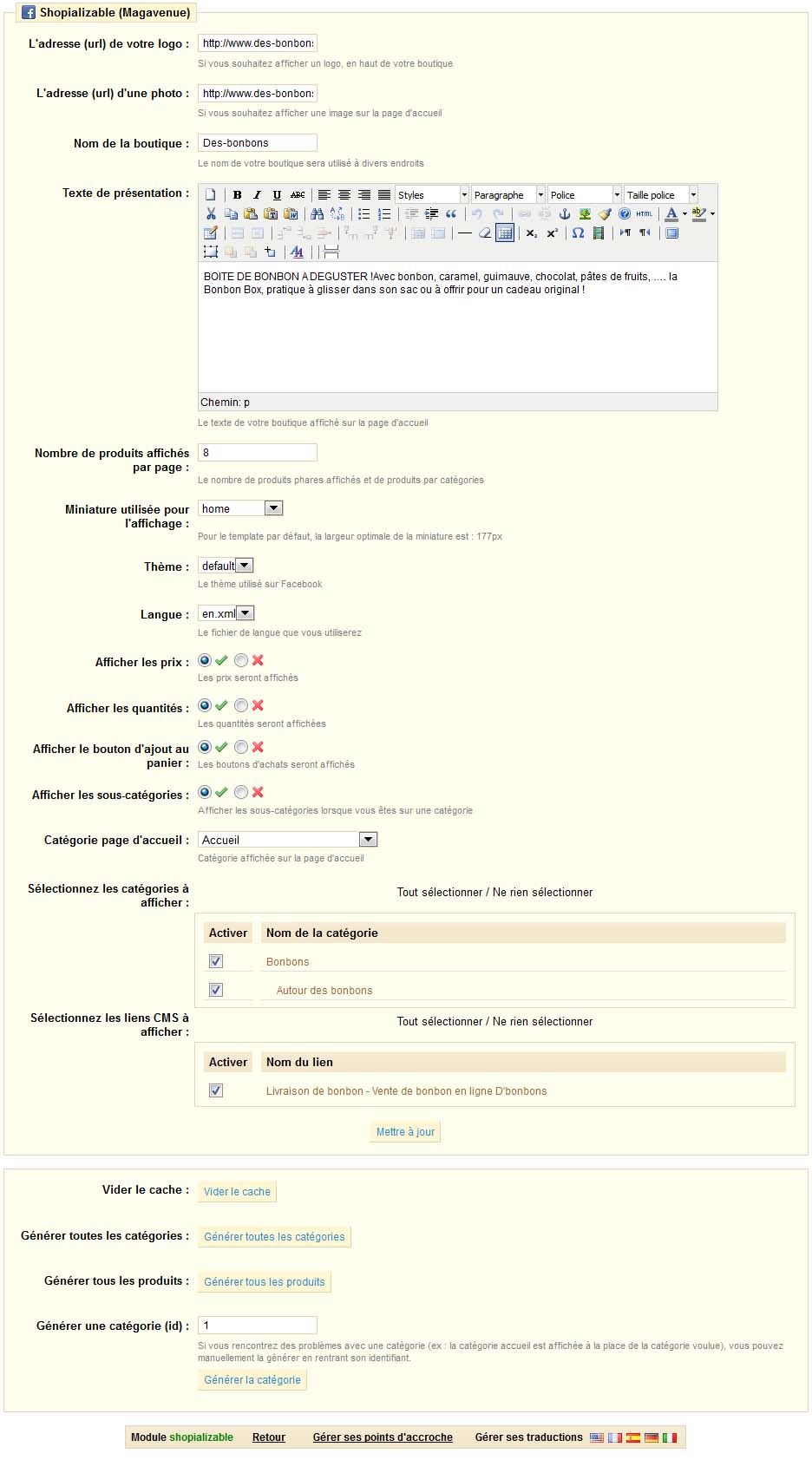
Un petit menu déroulant vous permet de choisir le thème à utiliser. Nous vous conseillons d’utiliser « default-reduced ».

Pour finir, il suffit de cliquez sur le bouton « Mettre à jour ». Il est indispensable d’appuyer au moins une fois sur ce bouton pour le bon fonctionnement du module (même si vous n’avez fait aucun changement).
L’installation est finie du côté de Prestashop. Ce n’était pas méchant 😉 ?
Installation du module sur Facebook pour les pages
Veuillez suivre les instructions suivantes, une fois que vous êtes connecté sur Facebook et que vous avez créé votre page Facebook. L’application ne doit s’installer que sur une page Facebook, et non un compte Facebook. Si vous n’avez pas de page, vous pouvez en créer une à cette adresse : https://www.facebook.com/pages/create.php
Connectez vous à votre compte Facebook, puis rendez-vous à l’adresse de notre application Facebook. https://www.facebook.com/apps/application.php?id=290911957094
Cliquez sur “Ajouter à ma page” (Ne pas cliquer sur le bouton « Accéder à l’application ») puis choisissez le bouton “Ajouter à une page” en face du nom de votre page Facebook.
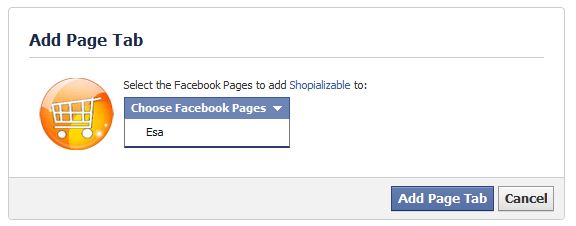
Rendez-vous alors sur votre page Facebook (en recherchant le nom de votre page par exemple).
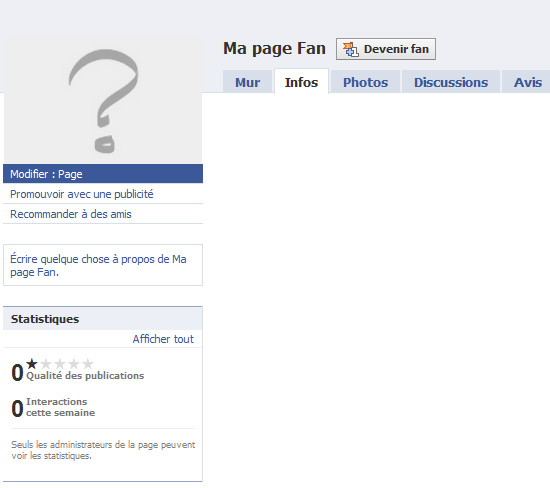
Cliquez sur le lien “modifier ma page” juste en dessous de l’image du profil.
(Pour la nouvelle version des pages Facebook le lien « modifier ma page » est un petit bouton en haut à droite.)
Vous arrivez alors sur la page de configuration de votre page Facebook. Dans le menu de gauche, cliquez sur “Applications”.
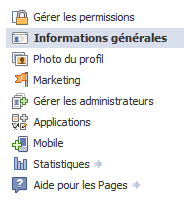
Dans la liste des applications, repérez “Shopializable2? et cliquez sur “Accéder à l’application”

Vous arrivez alors sur la page de configuration du module. Dans le premier champ, entrez l’adresse exacte vers notre extension. C’est à dire l’adresse exacte de la racine de votre boutique (et non d’une page d’introduction ou autre site parallèle) suivi de “/modules/shopializable/”.
Exemple : https://www.nomdedomaine.com/modules/shopializable/
Si votre boutique est dans un sous dossier, l’exemple serait alors : https://www.nomdedomaine.com/dossier/modules/shopializable/
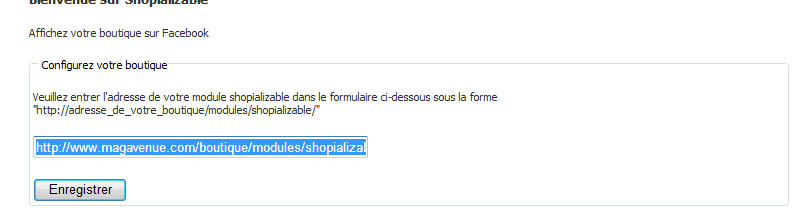
Ne pas oublier le “https://” et le dernier “/” à la fin de l’adresse.
Une fois que vous avez cliqué sur “Enregistrer”, retournez sur votre page Facebook.
Dès que vous êtes dessus, vous devriez avoir un onglet “Shop”. Sinon, cliquez sur le petit plus sur la barre près de la photo.
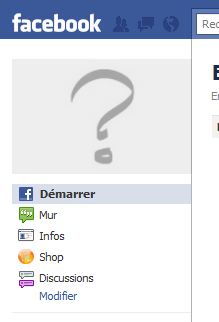
Vous devriez alors avoir un onglet “shop”. Si vous cliquez dessus, l’application devrait se charger. Pour le rendre obligatoirement visible, vous pouvez déplacer l’onglet sur la barre vers la gauche.
Si vous n’avez pas vu un onglet “shop”, entrez simplement “shop” dans le champ de recherche. Vous devriez alors voir le nom de l’application “Shopializable2?.
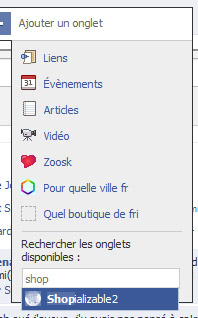
(Pour la nouvelle version des pages Facebook disponible dès le 11 mars 2011, l’onglet se situe à gauche désormais).
L’application devrait être installée.
Si vous souhaitez modifier le nom de l’onglet (par défaut « shop »), vous pouvez le faire en vous rendant sur votre page. Puis dans la partie permettant de modifier la page (click sur le bouton en haut à droite « modifier la page »). Sur la colonne de gauche, cliquez sur « Applications » puis en face de Shopializable cliquez sur « Modifier les paramètres ». Vous aurez alors en face de « Custom tab name » ou « Nom d’onglet personnalisé » un champ permettant de modifier le nom.
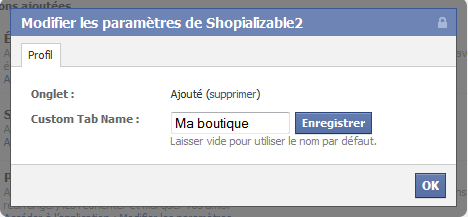
Vous pouvez si vous le souhaitez afficher par défaut la boutique sur votre page Facebook plutôt que votre mur par exemple. Suivez le petit tutoriel disponible ici
Résolution des problèmes
Vous pouvez modifier l’ensemble du template, les images, traduire ou modifier les termes affichés sur Facebook en modifiant les fichiers contenu dans le template que vous avez choisi. Les templates se trouve dans le dossier suivant : “/modules/shopializable/template/”.
Nous développons des templates personnalisés pour Shopializable. Contactez-nous pour plus d’informations.
Pour plus de lisibilité, aucun support par commentaire ne sera apporté (les commentaires seront supprimés) ! Merci d’utiliser le formulaire de contact pour cela ! Nous vous répondrons le plus vite possible. Ajoutez à votre demande, l’url de votre page Facebook et l’url de votre boutique.
Si lorsque vous vous rendez sur l’application, la page est complétement vide. L’adresse entrée lors de la configuration n’est peut être pas bonne. Un test simple consiste à entrer cette adresse dans une fenêtre de votre navigateur (https://votreboutique.com/modules/shopializable). Vous devriez alors être redirigé vers la page d’accueil de votre boutique.
La page est toujours vide ? Un test simple consiste à vérifier que l’écriture des fichiers de configuration s’est bien passé. Entrez dans votre navigateur l’adresse suivante : https://votreboutique.com/modules/shopializable/xml/configuration.xml. Si vous n’arrivez pas sur un fichier XML mais sur une page 404 ou une erreur, le dossier XML ne doit pas avoir les bonnes autorisations. Attribuez donc au dossier xml : « /modules/shopializable/xml/ » l’autorisation 755, vous pouvez aussi essayer 777.
Avez-vous pensez à valider le formulaire de configuration de Shopializable dans Prestashop ? Si vous venez de changer les autorisations du dossier XML, reprenez la configuration du module et cliquez bien sur « Mettre à jour » ou « Vider le cache ».
Vous n’arrivez toujours pas à utiliser notre module. Il est possible que la configuration de votre hébergement nous empêche de récupérer le template de Shopializable. Vous pouvez alors essayer le thème « default-reducedtxt » dans la configuration de Shopializable.
Une catégorie est mal générée ? Vous pouvez générer manuellement une catégorie (pour actualiser son contenu ou si elle ne s’affiche pas correctement) en entrant l’identifiant de la catégorie en bas du module Shopializable
Pour utiliser Shopializable en anglais, configurer le module avec le thème « defaulten »
Si vous avez une erreur 404 lors de l’ajout au panier, ajouter à la fin de votre fichier .htaccess les lignes suivantes :
RewriteRule l.php /order.php [L,E]
RewriteRule profile.php /order.php [L,E]
Une nouvelle version du manuel est disponible ici


Bonjour.
Merci pour le module.
Je l’installe dès que j’ai un moment.
Faut-il supprimer les dossiers de l’ancienne version.
Cordialement.
Oui sauf si vous souhaitiez garder l’ancienne version.
Bonjour,
Mon application shopializable V1 ne fonctionne plus ?
Nous allons mettre en place un système pour ceux souhaitant garder l’ancienne version…
bonjour et merci pour ce dev maintenant la moindre des chose aurait était de laisser en place la version gratuite en état même si plus mise a jour ainsi que de prévenir de ce changement de statue 😉
quand je dit que l open source fonctionne juste le temps de mettre en place quelque chose de payant en ayant fait sa clientèle en créant un besoin 🙁
L’application V1 a été rétablie.
@dlloyds : Ne confondez pas tout. Open Source ne veut pas dire gratuit.
Simplement que le code est ouvert. Très grosse différence.
Après, le prix du module (10€) ne nous permettra pas de devenir une multinationale, juste de rémunérer en partie (car une bonne partie du développement reste bénévole) les développeurs et les serveurs. L’histoire du plan, créant un besoin pour ensuite mieux assommer le client… C’est un peu exagéré non ? :p
Super application ! Fonctionne parfaitement et modifiable super facilement ! Merci à toute l’équipe !
Il ne faut pas exagérer 10€ c’est pas la mort c’est trés loin des 200€ demandé par certaine trust pour des truc qui plante!!
Bonjour et merci pour ce billet très intéressant. La nouvelle version de Shopializable est vraiment géniale, je ne savais pas qu’il y avait autant de fonctionallités, je pense que cela va me rendre la vie plus facile maintenant que j’ai formater disque dur je suis prête à installer de nouveaux logiciels.
Encore merci.
Le Shopializable v2 était très attendu par notre société car nous attendions les nouvelles fonctionnalités dans cette version pour promouvoir nos ventes de produits.
Merci
Bonjour,
Module très sympa …. mais qui ne gère pas les déclinaisons ! Tous mes articles en possédant, je ne peux pas la laisser en ligne.
Est il prévu une évolution dans ce sens ??
Merci,
Olivier
Bonjour,
Pour l’instant la gestion de déclinaisons n’est qu’à l’étude.
Nos clients ayant ce module et le même souci que vous ont simplement un thème désactivant l’ajout au panier, et ont ajouté un bouton envoyant directement vers la page du produit (pour pouvoir choisir les déclinaisons). Ce qui en soit n’est pas forcément pénalisant pour l’expérience utilisateur.
Retour de ping : » Shopializable v2.5 disponible ! Application Facebook pour Prestashop - Magavenue : Le Blog du ecommerce Open Source (Magento, Prestashop…)
this Mod works for me very well thanks.
http://www.facebook.com/pages/Sydney-Australia/MIR-AUS/108247844754?v=app_290911957094
Retour de ping : » Module gratuit, pour vendre les articles de votre boutique Prestashop, sur votre compte Facebook - Magavenue : Le Blog du ecommerce Open Source (Magento, Prestashop…)
Bonjour,
merci pour votre (vos) module(s).
http://www.boudoir-angeline.com
J’ai procédé à l’installation de shopializable et la conf sur facebook. Voici l’adresse de la page facebook : http://www.facebook.com/profile.php?id=100001602036808
Les templates ne fonctionne pas. Pour information J’utilise le module javascript « cufon » dans mon templates pour l’utilisation de police d’écriture. Voici l’erreur affichée :
Fatal error: Smarty error: [in template:fileTemplate1284586415 line 27]: syntax error: unrecognized tag: fontFamily: ‘English’ (Smarty_Compiler.class.php, line 455) in /home/magavenu/www/shopializable/smarty/Smarty.class.php on line 1092
Seul le template defaulttxt fonctionne mais ne m’affiche pas les images.
Pourriez vous m’aider svp.
Merci
The application does not come in Spanish, i purchased it cause it mentioned it was in spanish. Please solve the problem.
bonjour vous dites que le module est gratuit or je ne le voie pas pouvez vous m indiquer le lien ?
je voudrais savoir si le module on peut l’afficher sur plusieurs profil facebook d’amis, et aussi savoir si le module prend mon themes que j’ai installer sur prestashop
Le module n’utilise pas le thème que vous avez sur Prestashop mais vous pouvez complétement le personnaliser comme vous le souhaitez.
Vous pouvez installer l’application sur différentes pages.
Retour de ping : » Shopializable v2.5 : Modification des Profils Facebook - Magavenue : Le Blog du ecommerce Open Source (Magento, Prestashop…)
Bonjour,
J’ai installé l’application comme il est spécifié dans l’article mais l’application n’apparait pas dans mon profil FB.
Une idée ?!
Pas de support par commentaire. Utilisez le formulaire de contact à la place.
Sinon vous trouverez la réponse à votre question dans l’article…
Can I test the application?
I’m interested in it but I don’t know how to buy it. In this article you say that the price is 10€. When I try to buy it it costs 30€. What’s happening?
Impossible d’accéder à l’application, j’ai sans cesse le message : Erreur pendant le chargement de Shopializable2.
Donc je bloque à la phase :
Vous arrivez alors sur la page de configuration du module.
Ben non, je n’y arrive pas !
Merci d’avance pour votre aide.
Cordialement.
Como puedo traducir al español la web en facebook
A mi me lo han recomendado, y la verdad he visto como queda, esta genial.
Retour de ping : Module Prestashop pour Shopping Flux E-Commerce
Hi,
We bought your module Shopializable (Magavenue) from PRESTASHOP ADDON for EUR 30.00.
Understand that, we would get a FREE module of
Facebook widget, a Google, Twitter, and other sharing links on PrestaShop when we purchase Shopializable (Magavenue) module.
Therefore, would appreciate if you could send us the file.
Regards,
Cheah
Hi Zimy,
As described in the readme file, please contact us at contact@magavenue.com.