
Noà«l approche ; l’équipe de Magavenue est fière de vous offrir : un module pour afficher le catalogue de votre boutique Prestashop, sur votre compte Facebook.
Vos amis et les amis de vos amis sur Facebook, ne connaissent peut être pas votre boutique en ligne, ou n’y vont pas régulièrement !
Avec ce module, le problème est résolu, puisqu’ils pourront accéder directement à votre catalogue d’articles depuis votre profil, tout en restant sur Facebook.
Tout cela en un clic sur l’onglet « Ma boutique » disponible sur votre profil !
Mettre en place ce module Prestashop sur votre compte Facebook, présente plusieurs avantages pour votre boutique, vous profitez ainsi :
- D’une nouvelle source de référencement (Facebook)
- D’un affichage de votre boutique à tous vos amis et leurs relations
- Et enfin de l’état d’esprit différents des visiteurs qui sont sur Facebook : un futur client aura plus tendance à faire confiance aux produits proposés par un ami (ou un ami d’un ami), plutôt qu’à ceux trouvés sur un moteur de recherche !
Le module est entièrement sécurisé. Il utilise seulement des flux rss pour communiquer entre votre boutique et Facebook. Aucune donnée sensible, ni mot de passe ne sont communiqués, et vous n’avez aucun renseignement à fournir !
Petits aperçus
Voici quelques photos de votre boutique, telle qu’elle apparaitra sur votre compte Facebook, une fois que vous aurez terminé l’installation :
L’onglet ‘Ma boutique’, qui vous permettra d’accéder à votre boutique :

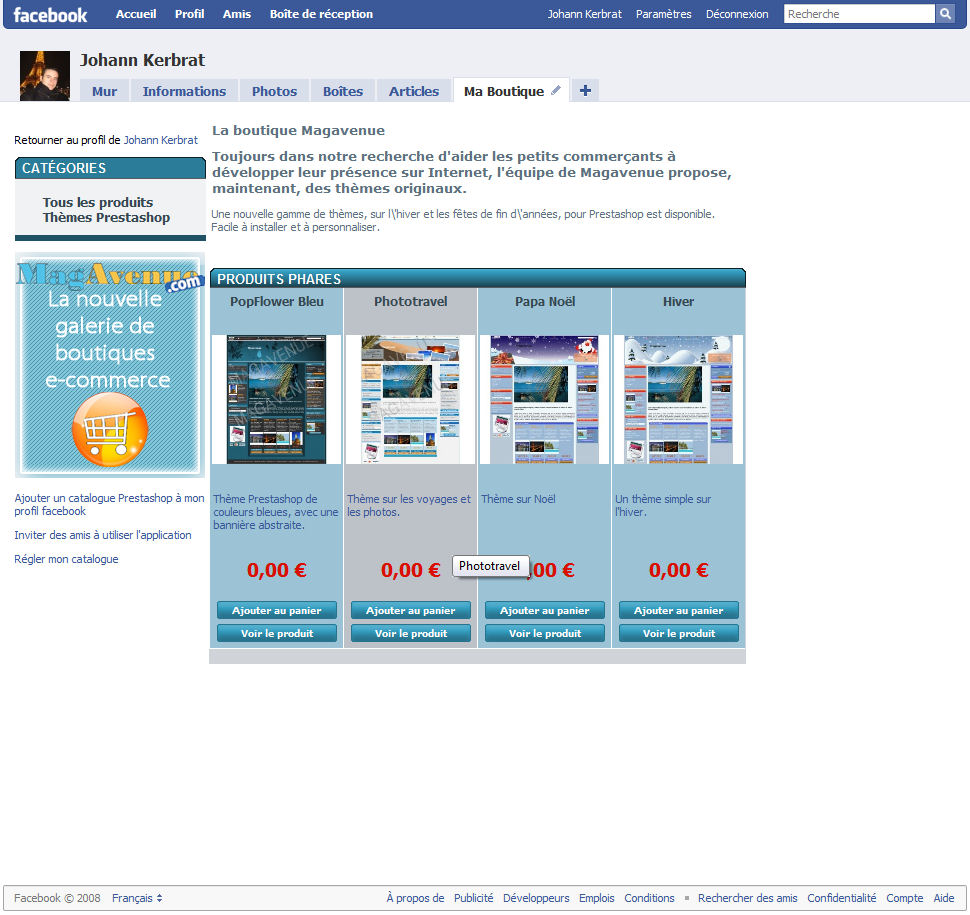
Votre boutique sur votre compte Facebook :
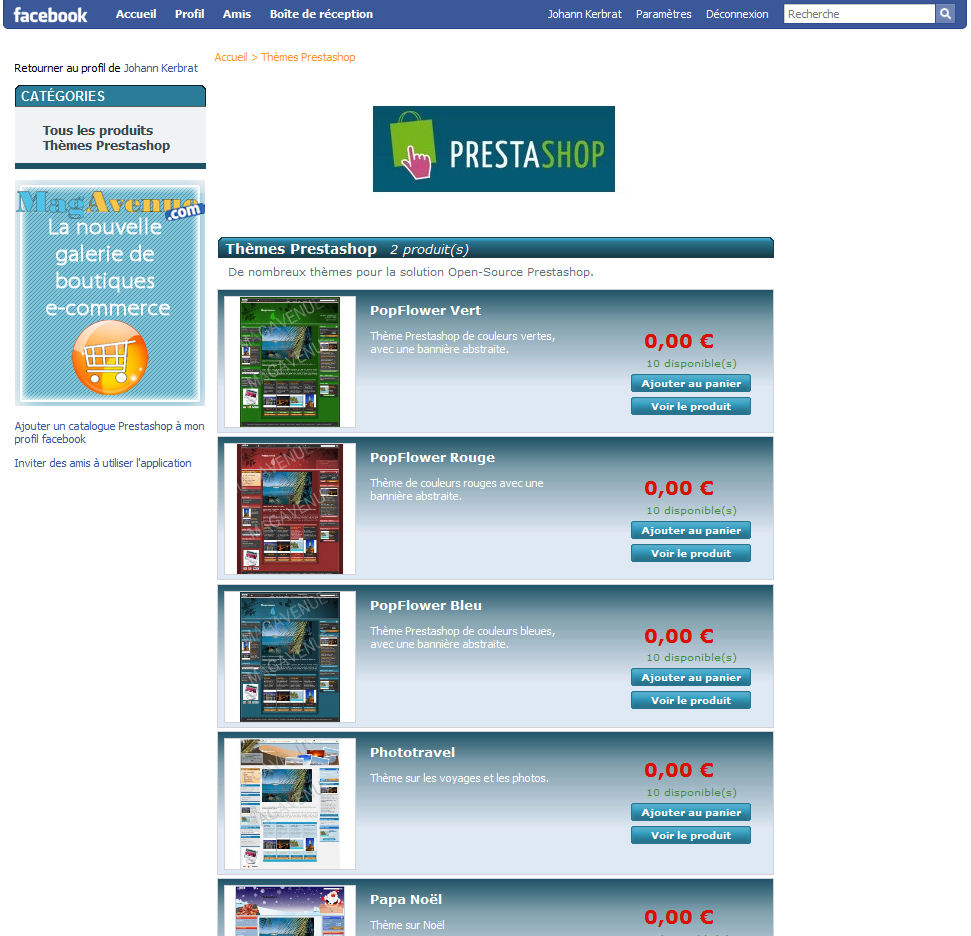
Le détails d’un article de votre boutique :

Installation du module Prestashop
L’installation du module ne prends que quelques minutes ! Dans un premier temps, téléchargez le module « fb_link » sur notre boutique.
Pour cela, passez une commande de l’article fb_link. Une fois cette commande effectuée, cliquez sur votre dernière facture, vous y trouverez ainsi le lien de téléchargement.
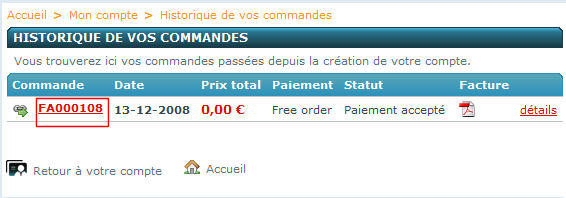
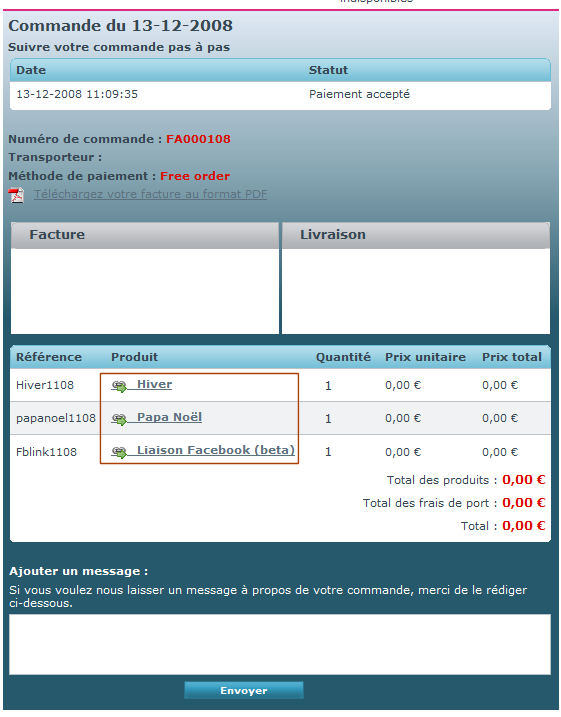
Procédez ensuite à l’installation de celui-ci : décompressez le fichier téléchargé en utilisant un logiciel de décompression (par exemple 7-zip, que vous retrouverez dans nos outils).
Une fois le dossier décompressé, déplacez celui-ci dans le dossier « modules » de votre installation Prestashop (en utilisant un logiciel FTP comme Filezilla).
L’installation du module est terminé !
Installation de l’application Facebook
Rendez vous sur cette page. Puis cliquez sur « Accéder à l’application ».
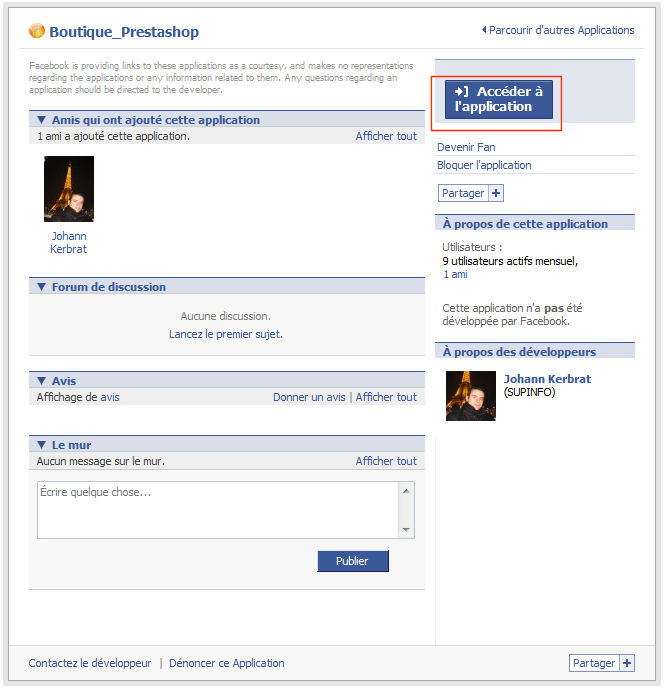
Cliquez ensuite sur « Configurer ma boutique ». Vous allez obtenir un avertissement et une demande d’autorisation d’accès. Cette procédure est normale pour l’installation de toute application sur Facebook.
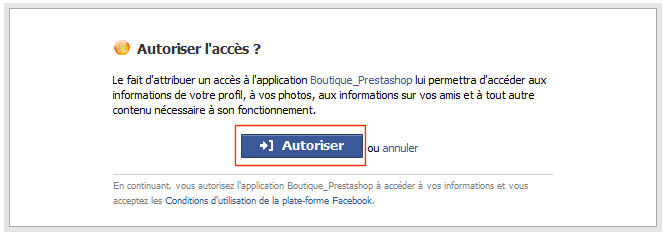
Vous êtes à la dernière étape de l’installation de l’application.
Renseignez l’adresse de votre boutique en ligne. (Il faut pour cela donner l’adresse exacte de l’endroit où se trouve votre boutique Prestashop. Par exemple si celle-ci est dans un sous-dossier, vous devez le préciser).

Si vous ne souhaitez pas activer le service tout de suite, vous pouvez décocher la case « Activer l’application ».
Enfin cliquez sur « Valider ».
Si l’installation s’est bien passé, vous devriez obtenir un écran tel que celui-ci :

Si vous obtenez à la place de cet écran, un message indiquant que votre adresse n’est peut être pas bonne, vérifiez bien que l’url entré pointe bien vers votre boutique en ligne.

Votre catalogue est maintenant disponible, vous pouvez y accéder.
Ajouter votre boutique à votre profil Facebook
Votre catalogue est bien installé mais difficilement visible pour vos amis ! Nous allons donc ajouter un onglet à votre profil.La marche à suivre est très simple :
Rendez vous sur votre profil Facebook puis cliquez sur le « + » à côté des onglets principaux, sélectionnez « Ma boutique ».
Votre boutique est maintenant disponible sur votre compte Facebook, il vous suffit de cliquer sur l’onglet ‘Ma boutique’ :
Notre application est en version Beta.
C’est la première version de l’application, il se peut donc, que malgré nos effort, des problèmes persistent, n’hésitez donc pas à nous en faire part dans les commentaires, nous nous efforcerons de les régler au plus vite. Vous pouvez aussi utiliser notre formulaire de contact.
De plus nous sommes ouverts à toutes suggestions, pour améliorer le système.
D’ici peu de temps, nous sortirons une nouvelle version, avec des publications sur le mur de votre profil, et une boite sur le côté de votre profil pour afficher des informations sur votre boutique, et ainsi inciter vos amis à regarder votre boutique !
Et Magento ?
Une application équivalente est en cours de finalisation, et sera donc bientôt publié pour le système Magento !
Et les autres ?
Si vous souhaitez développer, ou que nous développions un module pour un autre logiciel d’e-commerce, n’hésitez pas à nous contacter.
Devenons amis ?
N’hésitez pas à nous ajouter comme ami sur Facebook, à poser vos questions sur notre profil ou par e-mail, vous pouvez aussi voir le module en fonction dans notre profil.

Mises à jours
12/12/2008 : Gestion des réductions dans les catégories (nécessite de mettre à jour le module).
Gestion des stocks (dans la partie réglage de votre application)


Bonsoir,
tout d’abord bravo pour le module, c’est dors et déjà très interessant, et ça promet de bonnes choses pour la version finale.
Afin que cette version soit la plus réussie possible je me permet de vous donner mes premières réactions à chaud :
+ très bonne idée
+ Installation très facile et très rapide
– La pub pour MagAvenu est vraiment grosse. Je suis « pour » le fait que vous vous fassiez un peu de pub, c’est tout à fait normal, mais de là à ce qu’elle prenne la majeure partie de la colone gauche (dans mon cas du moins)… En plus ça induit les utilisateurs en erreur, au début moi même j’ai cru que j’étais arrivé sur votre boutique suite à un clic maladroit :-s .
– Lorsqu’on arrive sur la page d’accueil de la boutique via facebook, mais que dans sa boutique prestashop on n’a pas mis d’article en page d’accueil, la page d’accueil de la boutique facebook est vide. Ne serait-il pas possible de pouvoir y placer du texte ou/et une image en configurant le module sur facebook, ou en prenant directement le contenu de la page d’accueil de la boutique prestashop ?
– Sera-t il possible pour chacun de modifier la css ?, car actuellement la charte graphique ne colle pas du tout avec ma boutique.
– Lorsqu’on affiche les produits par catégorie ou tous les produits, les prix sont indiqués, mais pas de mention précisant s’il s’agit d’une promo ou pas. Les différences de prix peuvent induire en erreur l’utilisateur final.
– Les fiches produits affichent les quantités même si l’option est désactivée dans la boutique PS. Personellement ç’est une information que je ne souhaite pas afficher.
Voili voilou mes impressions après un rapide tour de la boutique. En esperant qu’elles vous aideront à finaliser cette très bonne initiative,
Julien 😉
Bonsoir Julien,
Merci pour ce retour fort intéressant !
1: Nous allons rapidement modifier les formats de publicités ! il est vrai que ceux-ci sont peut un peu disproportionnés.
2: Ce problème est plus inquiétant. La page d’accueil de la boutique est censé afficher le module éditorial de votre boutique Prestashop. Dans votre cas, un titre et trois images qui devraient apparaître !
3: Cette fonction de personnalisation, comme beaucoup d’autres devraient apparaître très vite. Nous attendons pour le moment des retours sur le coeur du logiciel en lui même, avant de pouvoir mettre en place cela.
4: Judicieuse remarque. Nous ne manquerons pas de vous avertir dès que ce problème sera résolu.
5: Même remarque que pour le point 4.
Ces impressions nous aident à finaliser ce module ! N’hésitez pas à en effectuer d’autres !
Bonjours alors voila ce que cela donne pour moi
Dans la colonne de gauche j’ai le texte en html ???
Why???
Merci
http://www.facebook.com/profile.php?id=1378359254#/profile.php?id=1378359254&v=app_36932071002&viewas=1378359254
Bonsoir Nicolas,
Je ne peux regarder votre lien facebook, étant donné que nous ne sommes pas en relation, et que votre profil est privé.
Qu’entendez vous par colonne de gauche ? parlez vous de la colonne catégorie ?
oui absoluement
Bonjour Nicolas,
Le problème que vous avez sera corrigé dans la nouvelle version de l’application, disponible très prochainement.
Merci pour votre retour.
les boutons ajouter au panier, me retournent une erreur token invalid sur mon domaine.
de plus, mes produits de page d’accueil ne s’affichent pas.
voila pour mes retours, en tout cas, si une version au point voit le jour, je suis preneur! bravo jusque la
d’ailleurs moi meme je me suis essayé a creer des app facebook, je vais m’y remettre je pense car le concept est très interessant a mon gout
Bonjour
j’ai crée une « page, boutique » pour mon site de vente en ligne sur facebook et non un profil.
lorsque je clique sur le lien, il m’ai dit que je ne peux utiliser l’application. pourquoi?
ce module marche seulement sur les inscriptions de type « profil »?
cordialement..
Bonjour Sly,
En effet pour l’instant le module ne fonctionne que sur les profils.
Une mise à jour prochaine est prévue avec le support des pages Facebook.
Très bonne initiative ! 🙂
Bonjour,
L’application sur Facebook me retourne une erreur.
Est-ce prévu de réparer cela prochainement?
Cordialement,
Guillaume
L’erreur peut être obtenu à cause de beaucoup de choses, dont une mauvaise configuration.
Il faudrait donc nous en dire plus.
bonjour
superbe initiative! est ce que l’amélioration pour les pages facebook est terminée?
merci d’avance
Pour cette version oui. Une nouvelle version étant en cours de développement.
Bonsoir, merci pour le module, c’est une bonne idée.
Cependant, l’application ne semble plus du tout opérationnelle sur facebook. Est-ce en train d’être réparé ou ça va l’être ?
Des erreurs dans le thème par défaut sont en effet récalcitrantes.
Une prochaine mise à jour devrait résoudre le problème.
Sinon l’application fonctionne parfaitement.
Merci pour la réponse.
Cependant, le lien indiqué http://www.facebook.com/apps/application.php?id=36932071002 me revoit sur la page d’accueil.
En effet, vous êtes sur la page décrivant la première version de l’application.
La seconde version se trouve ici :
http://www.magavenue.com/blog/application-facebook/installation-shopializable
Merci 🙂
ce module n’est pas gratuit!
En effet, vous êtes sur la page décrivant la première version de l’application.
La seconde version se trouve ici :
http://www.magavenue.com/blog/application-facebook/installation-shopializable