
Vous souhaitez personnaliser encore plus vos articles, et cela rapidement et simplement ? Comme par exemple pouvoir rajouter une ou plusieurs tailles à des T-shirts, ou des coloris différents ? Très simple !, nous allons voir comment :
Pour cela, dans la partie administration de votre boutique, allez dans le panneau d’administration section « Catalogue ». Nous allons commencer pour l’exemple, a créer des tailles (S, M, L, XL) pour nos t-shirts. Dirigez vous dans la section « Panneau d’administration >> Catalogue >> Attributs et groupes » :
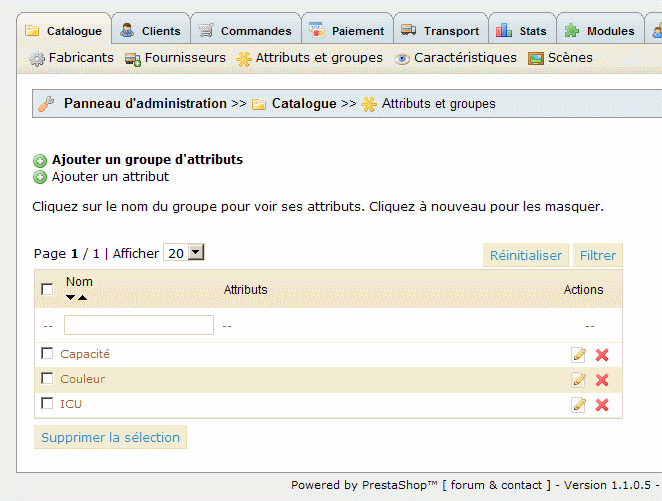
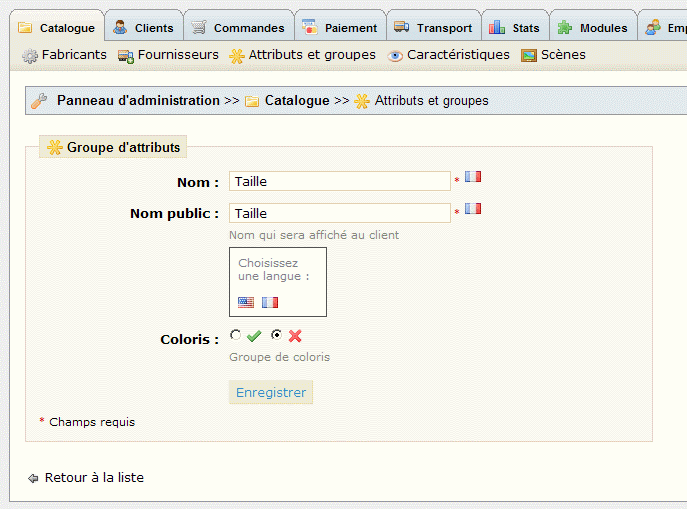
Cliquez sur « Ajouter un groupe d’attributs ». Et nous allons rentrer l’attribut ‘Taille’ dans ‘Nom Public’ pour l’exemple. Le nom public est le nom qui s’affichera dans votre boutique. Le premier nom est un nom ‘administratif’. (Notez que vous pouvez choisir le nom pour chaque langue en cliquant sur le petit drapeau à droite).
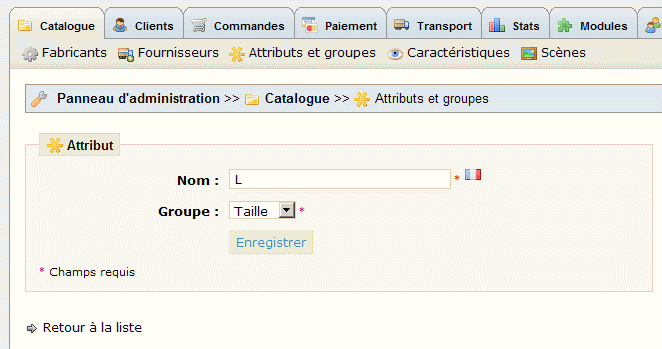
Après avoir cliqué sur Enregistrer, vous vous retrouvez dans la gestion des groupes, cliquez sur Ajouter un attribut tel que ‘L’, ‘M’, ‘S’, etc… (sans les »). N’oubliez pas de choisir le groupe ‘Taille’.
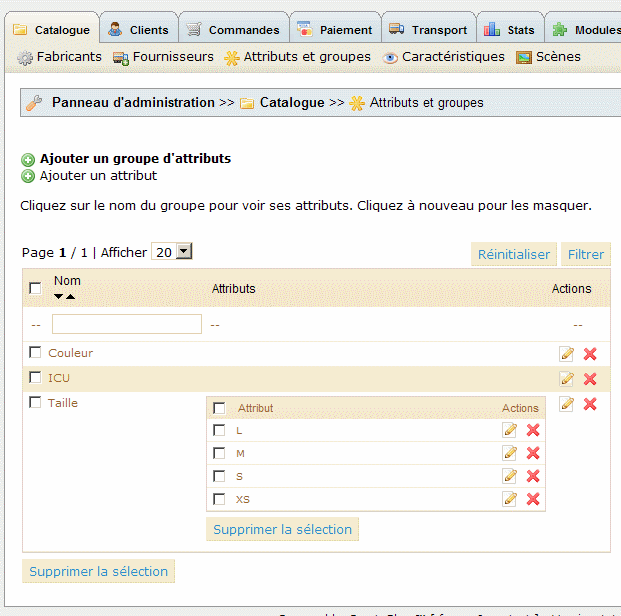
Une fois les attributs rajoutés, cliquez sur le groupe Taille et vous pourrez voir tout les attributs rajoutés.
Pour pouvoir différencier encore plus nos T-shirts, nous allons ajouter d’autres caractéristiques, comme par exemple une poche. Cliquez sur « Panneau d’administration >> Catalogue >> Caractéristiques ».
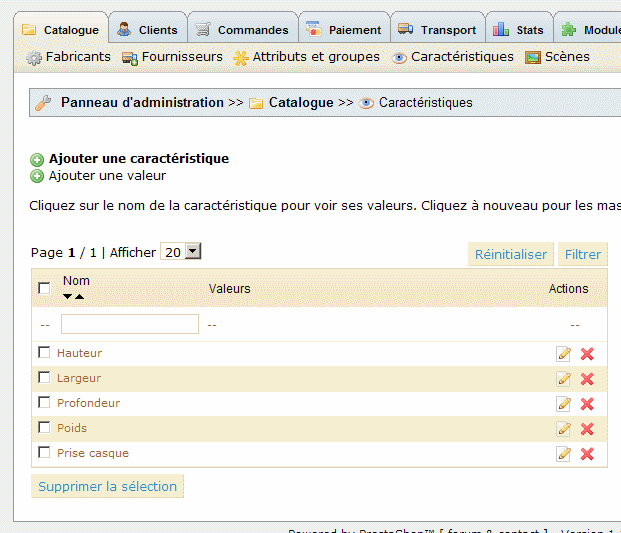
Cliquez sur ‘Ajouter une caractéristique’. Dans nom : saisissez ‘Poche’. Enregistrez cette caractéristique.
En gardant la caractéristique ‘Poche’ de sélectionnée, cliquez sur ‘Ajouter une valeur’.
Ajoutez les valeurs ‘Oui’ et ‘Non’ Séparement. Vous devriez obtenir ceci :
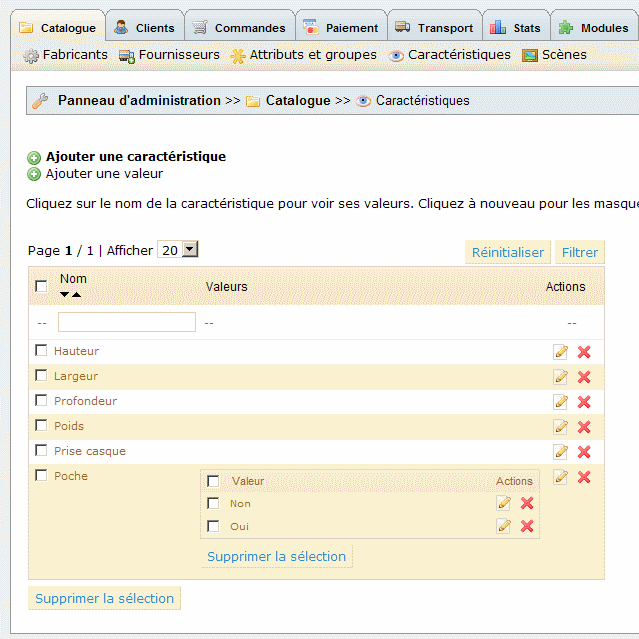
Maintenant que nous somme prêts, allons créer un Tshirt avec une poche !
Revenez au catalogue et rajouter un produit (par exemple un T-shirt Leevis).
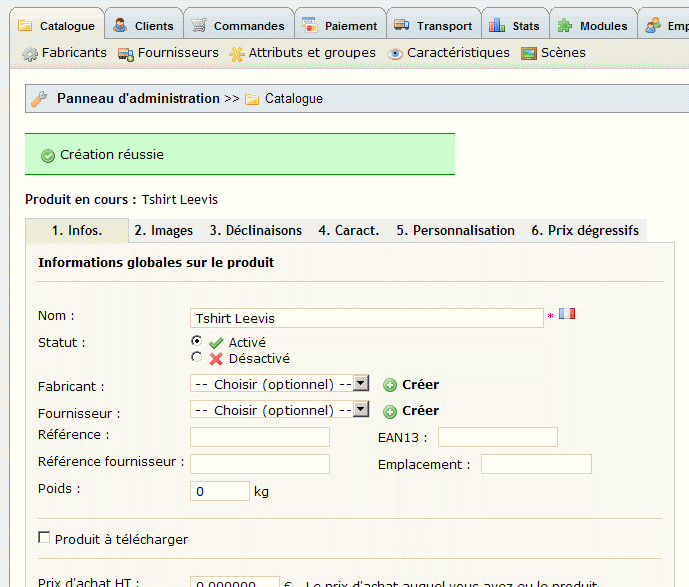
Enregistrez le, des options apparaîtront : cliquez sur l’onglet : ‘Déclinaison’.
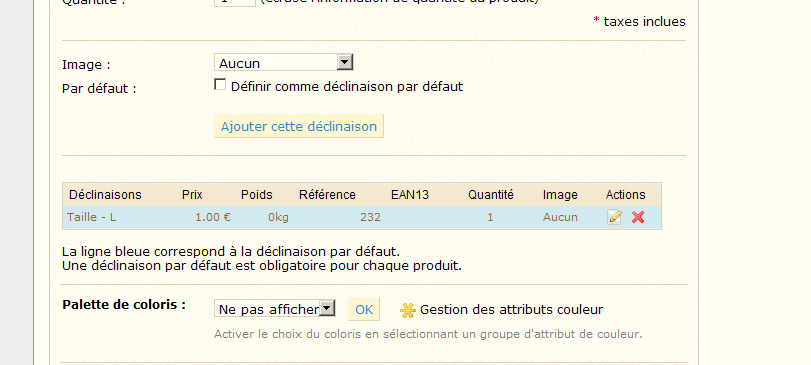
Sélectionnez le groupe ‘Taille’ et l’attribut ‘L’ pour l’exemple. Ajoutez le dans la liste avec le bouton ‘Ajouter’.Pour cette taille, (et aussi pour plusieurs), vous pourrez rentrer toutes les informations de tarification propre à ce groupe, comme le prix d’achat modifié, l’impact sur le prix, les quantités pour cet attribut, etc.. Pour sauvegarder les modification pour cet attribut cliquez sur Ajouter cette déclinaison. Le tableau ci-dessous récapitule les modifications pour cet attribut.
Passons à l’onglet ‘Caract.’ : et choisissons ‘oui’ pour la caractéristique ‘poche’.
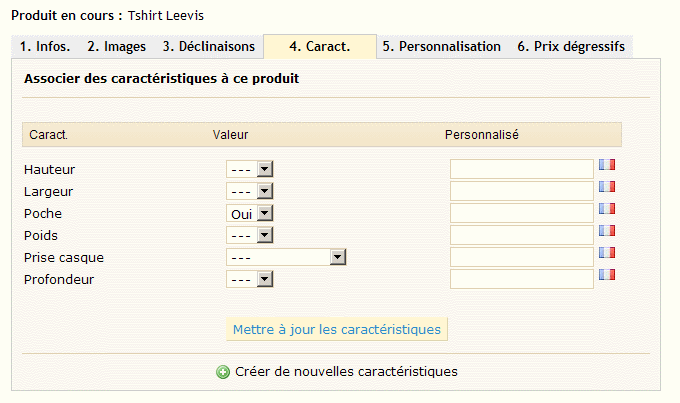
Nous avons terminé la personnalisation de notre article. Ce n’était pas si dur ?


Merci !
super !merci !
Trop bref sur la personnalisation. Peut-on créer plusieurs caractéristiques ? couleur, taille…
Merci pour ce tuto très pratique ! 🙂
Vriament Top.
D’une grande Utilité, Bon boulot !
Retour de ping : Déclinaison d’un produit | binaire
Bonjour,
quelqu’un pourrait me dire si il est possible de bloquer le nombre de choix d’attributs sous prestashop;
par exemple j’ai 5 choix d’attributs, je veux que le client puisse en choisir que 2 maximum…
merci bcp
Bonjour à tous.
Voici un module qui vient compléter Prestashop sur ce sujet : http://shop.ndk-design.fr/home/17-module-prestashop-champs-personnalis%C3%A9s-avanc%C3%A9s.html
Fonctionnalites
Ajout de champs de personnalisation en masse.
Création de valeurs prédéfinies
Définition d’un coût supplémentaire par champs ou par valeur.
Calcul automatique du prix.
Détails du prix dans le panier
Pour chaque champs, vous pourrez :
Définir le type de champs (texte, radio, select, image, couleur)
Définir un coût supplémentaire pour chaque champs
Définir des valeurs personnalisées pour vos champs
Définir un coût supplémentaire pour chaque valeur
Activer ou non un changement visuel pour vos champs
Activer ou non le configurateur visuel pour vos champs (redimensionnement, déplacement, rotation, taille de texte, couleur de texte, typographie…)
Choisir la position de vos champs
…